
Download WhatsApp Extractor – Recover WhatsApp Chats, Photos, and Contacts from iTunes Backup
Looking for a reliable way to recover lost WhatsApp data from your iPhone? WhatsApp Extractor is a secure, user-friendly tool designed to retrieve your chats, contacts, photos, videos, and voice notes from iTunes backups. Whether you've switched devices, accidentally deleted messages, or lost your iPhone, this software helps you recover everything with minimal effort.
With support for both Windows and Mac OS, WhatsApp Extractor simplifies the recovery process using a clean, one-screen interface. It scans your iTunes backups, identifies WhatsApp data, and exports it in multiple formats—HTML for chats, VCF and CSV for contacts, and original formats for media. The tool is ideal for individuals, small businesses, and even legal professionals needing to preserve digital evidence.
Best of all, it’s affordable and comes with unlimited email support for licensed users. Download WhatsApp Extractor today and take full control of your WhatsApp data.
Key Features of WhatsApp Extractor
WhatsApp Extractor stands out in the data recovery space thanks to its focused functionality and intuitive design. Unlike complex recovery tools that overwhelm users with unnecessary options, this software offers a streamlined experience tailored specifically to WhatsApp data recovery. One of its most powerful features is the ability to scan and extract data from iTunes backups created on iOS devices. This means if you’ve ever backed up your iPhone using iTunes, you’re already set to recover your WhatsApp conversations—no additional setup required.
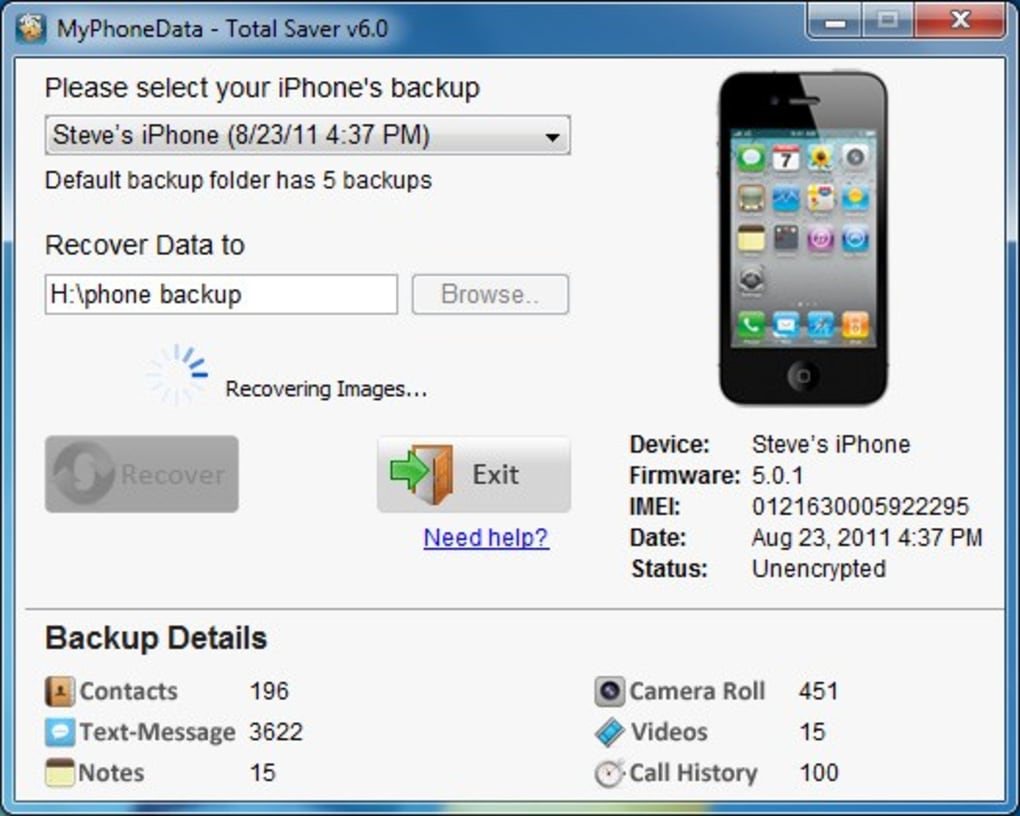
The software provides a clear overview of the backup, displaying critical device information such as the device name, IMEI number, and firmware version. This transparency helps users verify that they’re selecting the correct backup file. Under the “WhatsApp Details” section, the tool instantly shows how many messages, contacts, chat threads, and media files (photos, videos, voice notes) are available for recovery. This real-time insight reduces guesswork and gives users confidence in the recovery process.
Another standout feature is the export flexibility. Recovered individual and group chats are saved in HTML format, complete with timestamps for every message—perfect for reviewing conversations chronologically. Contacts are exported in both VCF (vCard) and CSV formats, making them easy to import into other apps like Outlook or Google Contacts. Media files are preserved in their original formats, ensuring no quality loss. Whether you're recovering sentimental messages or important business communications, WhatsApp Extractor ensures nothing is compromised during recovery.
How to Install and Use WhatsApp Extractor
Installing and using WhatsApp Extractor is straightforward, even for non-technical users. Begin by downloading the software from the official website. The installer is lightweight and runs smoothly on both Windows and Mac OS. Once installed, launch the application—no complicated configuration is needed. The interface is clean and minimal, with a single screen that guides you through the recovery process.
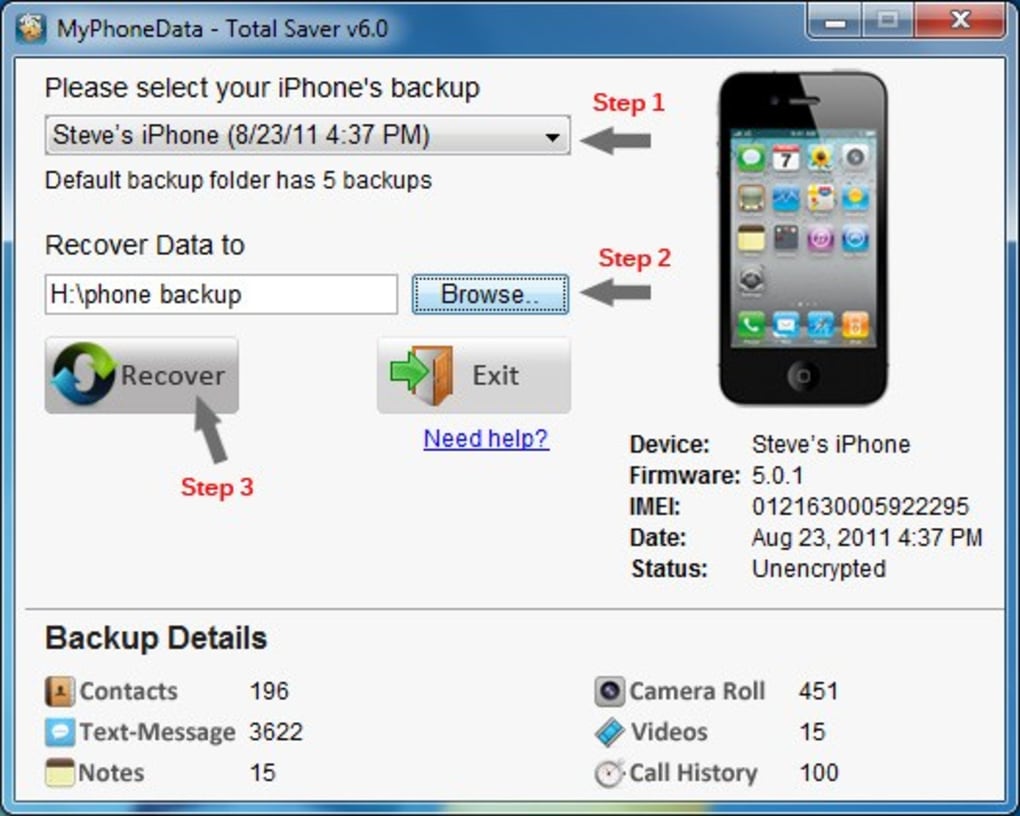
Step 1: Click on the “Select Backup” button and browse to your iTunes backup folder. On Windows, this is typically located in C:\Users\[Username]\AppData\Roaming\Apple Computer\iTunes\Backup. On Mac, it’s found in ~/Library/Application Support/MobileSync/Backup. Select the most recent backup that includes your WhatsApp data.
Step 2: After selection, WhatsApp Extractor will analyze the backup and display device details and WhatsApp-specific data counts. Review the information to confirm accuracy.
Step 3: Choose the output folder where you want the recovered files to be saved. You can create a new folder or use an existing one.
Step 4: Click the “Recover” button. The software will begin extracting data, which may take a few minutes depending on the size of the backup. During this time, you can monitor progress on the screen.
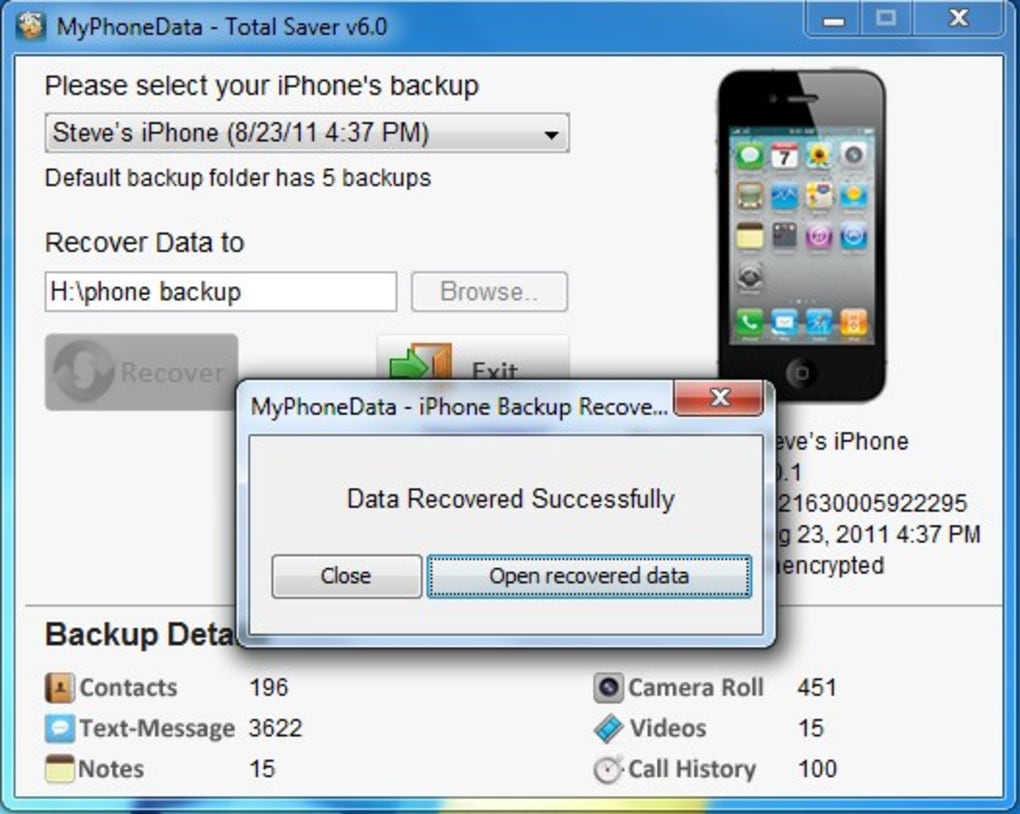
Once complete, your recovered data will be organized into folders: Chats (HTML files), Contacts (VCF/CSV), and Media (photos, videos, voice notes). You can open the HTML files in any web browser to view your conversations with full timestamps and formatting intact.
Compatibility and System Requirements
WhatsApp Extractor is designed to work seamlessly across multiple platforms, making it accessible to a wide range of users. It is fully compatible with Windows 7 and later (including Windows 10 and Windows 11) and Mac OS X 10.10 (Yosemite) and newer. This broad compatibility ensures that whether you’re using a modern laptop or an older machine, you can still recover your WhatsApp data without issues.
For optimal performance, your system should have at least 2 GB of RAM and 500 MB of free disk space. The software itself is lightweight, consuming minimal system resources during operation. Importantly, WhatsApp Extractor supports iOS 7 and later, meaning it can recover data from backups created on devices as old as the iPhone 4S and as new as the latest iPhone models.
While the software relies on iTunes backups, it does not require you to have iTunes installed on your computer if you already have a backup stored. However, having iTunes installed can help verify backup integrity. The tool works independently of WhatsApp’s cloud backup system (which is no longer available for iOS), making it the go-to solution for users who rely solely on iTunes.
Additionally, WhatsApp Extractor does not modify or delete any data from your original backup. It reads the backup files in read-only mode, ensuring your original data remains secure and untouched. This makes it a safe and reliable choice for recovering sensitive information.
Pros and Cons of WhatsApp Extractor
- Pros:
- Simple, one-screen interface—no learning curve
- Recovers chats, contacts, photos, videos, and voice notes from iTunes backups
- Exports data in multiple formats (HTML, VCF, CSV, original media)
- Preserves timestamps and message formatting
- Supports both Windows and Mac OS
- Compatible with iOS 7 and later
- Unlimited email support for licensed users
- Non-invasive—does not alter original backup files
- Cons:
- Requires an existing iTunes backup to work
- Does not support iCloud backups (only iTunes)
- Advanced users may find limited customization options
- Free version lacks technical support
- Not available for Android or iOS devices
Frequently Asked Questions (FAQ)
Final Thoughts and Call to Action
WhatsApp Extractor is a must-have tool for anyone who values their WhatsApp data. Whether you’re recovering lost memories, important business messages, or legal evidence, this software delivers reliable, secure, and efficient results. Its intuitive interface, broad compatibility, and flexible export options make it a standout in the data recovery category. While it has limitations—such as requiring iTunes backups and not supporting iCloud—it fills a crucial gap for users who rely on local backups.
For just a small investment, you gain access to a powerful recovery tool with unlimited email support. If you’ve ever lost WhatsApp conversations due to a device change or accidental deletion, now is the time to act. Don’t wait until it’s too late—download WhatsApp Extractor today and protect your digital history.
Download WhatsApp Extractor now and recover your WhatsApp chats, contacts, photos, videos, and voice notes with confidence.







